

Great presentation software options have come a long way, offering tools that help create stunning, professional-looking slideshows without the telltale signs of a generic template. Modern presentation apps now combine advanced design features with user-friendly interfaces, making it easier to craft visually appealing presentations in less time.
Popular alternatives to traditional Microsoft PowerPoint presentations have also embraced the shift, adding features like real-time collaboration, AI-assisted slideshow creation, and tools that transform slide decks into engaging videos or interactive experiences. These updates are designed to streamline the presentation process, allowing users to focus more on preparing their message rather than wrestling with design details.
For those who have relied on familiar tools like Google Slides, the latest examples of presentation application software introduces exciting possibilities. They’re not just for slideshows anymore—they cater to changing audience habits and shorter attention spans, ensuring presentations captivate from start to finish. Whether you’re a student, professional, or entrepreneur, exploring these options can elevate your storytelling and make a presentation memorable.
Key Takeaways
- Modern Presentation Tools: Today’s software combines advanced design features with ease of use, helping you create stunning, professional presentations faster and with less effort.
- Top Choices: Prezent, Canva, Beautiful.ai, and Prezi each offer unique features tailored for different needs, from AI-powered personalization to dynamic, non-linear designs.
- Standout Features: Prezent excels with AI-driven slideshow creation and brand alignment, Canva offers versatility and collaboration, Beautiful.ai simplifies design with automation, and Prezi engages with a creative, zoomable format.
- User Benefits: Whether you’re a student, educator, business professional, or entrepreneur, these tools make it easier to craft engaging, memorable presentations that captivate any audience.
Prezent

Prezent is the best AI presentation maker designed to help businesses create, deliver, and manage presentations efficiently. It simplifies the presentation process with a range of features that ensure your decks are personalized, on-brand, and aligned with best communication practices. Whether you are creating a presentation from scratch or fine-tuning an existing one, Prezent offers the tools to help you do it faster and more effectively.
One of the standout features of Prezent is its Slide Library, which offers access to over 35,000 presentation templates in designs that are pre-approved for brand use. You can quickly search for decks using smart filters and customize them for different audiences. This library is complemented by the Story Builder, which provides over 1,000 expert-curated storylines. With this tool, you can create presentation frameworks in just a few seconds, again with the flexibility to tailor the content for specific audiences.
Prezent also includes an Auto Generator that takes personalization to the next level. Using prompts, it can generate hyper-personalized decks in minutes, and multiple drafts are available for review and editing. These decks can be exported to PowerPoint for further customization.
To make sure your presentations are always on-brand, Prezent’s Template Converter allows you to convert your decks into any brand template with a single click. The system analyzes over 60 elements to ensure the decks are fully compliant with your brand guidelines. Additionally, Prezent’s Synthesis tool can generate concise executive summaries that align with your brand’s tone, format, and layout. If you need a quick redesign, the platform also offers a one-click option to add a professional finish to your decks.
Managing presentations and collaborating with teams is also made easy with Prezent. The Prezentation Library allows you to organize and share presentations securely, with detailed access controls for collaboration. For businesses that need to refine their content, the Best Practice Library provides over 10,000 curated presentation slides that cover key business concepts, along with expert tips on creating effective presentation content.
Prezent is also focused on learning and development. It offers interactive, gamified courses that help you develop your presentation and communication skills. These courses include bite-sized modules and offer LinkedIn certificates upon completion. Communication Fingerprints is another valuable tool, helping you identify and compare communication preferences within your organization. This feature enables you to tailor presentations to better match the needs of your audience.
For businesses with more specialized needs, Prezent offers expert services, such as Overnight Presentations, where you can receive designer-quality presentations delivered overnight. If you need more hands-on support, the Accelerators service connects you with industry experts who can assist with high-stakes presentations. Additionally, Zenith Learning Workshops provide interactive learning experiences that allow you to practice new skills and receive feedback from experts.
Security is a priority for Prezent, which ensures robust protection for your data with enterprise-level security. It complies with ISO 27001 and SOC 2 Type II standards, ensuring that all presentations are stored and shared safely.
Prezent is ideal for a wide range of professionals. Business professionals can use it to create presentations quickly and collaborate with teams. Marketing and sales teams can develop on-brand, persuasive presentations, while corporate trainers and educators can benefit from the interactive courses and workshops. Executives and decision-makers will find the executive summaries and presentation customization options especially useful for tailoring content to specific audiences.
Prezent offers a comprehensive suite of tools designed to improve efficiency, collaboration, and presentation quality. Whether you are a business professional, a marketer, or an educator, Prezent’s features will help presenters create polished, impactful slideshows with ease.
Canva

Canva is an easy-to-use, cloud-based design tool that stands out for its powerful plan that is free to use. It’s not just limited to presentations but also serves as a complete design platform for various visual needs. Whether you’re a blogger, content creator, educator, or a small business owner, Canva provides everything you need to create engaging content.
One of Canva’s biggest advantages is its vast library of templates. Whether you need a presentation design for business, education, or personal use, Canva offers a wide variety of custom presentation templates. These templates are easy to personalize, making it simple to add your own photos, logos, and text. Though some premium options require a paid subscription, many of them are free templates. The platform also has a collection of graphic assets, including icons, shapes, and stickers, which you can freely incorporate into your decks.
Canva’s editing interface is intuitive and smooth. Presentations are viewed by scrolling, which eliminates the jumping between slides often found in other editors. You can easily add animations to decks or individual elements to make your presentation more dynamic. There is also a library of audio and video files you can include to enrich your presentation. If you prefer, you can upload your own videos and add them directly into your slides. The ability to add GIFs or music further enhances the presentation’s impact, making it more engaging for your audience.
For those collaborating on presentations, Canva allows you to invite team members to work on designs together. Team folders and permission settings make it easy to organize shared projects while controlling access levels. Canva also enables you to share your presentations directly to social media platforms like X, Facebook, and LinkedIn. Additionally, it allows you to download your design in various formats, including MP4 for offline viewing.
Although Canva offers AI-powered tools like Magic Design and Magic Write, these features are still developing. They are useful but don’t offer much beyond the templates already available. For now, starting with Canva’s pre-designed templates is probably the best option for most users.
Canva is ideal for small businesses, educators, and creatives who need a straightforward, versatile tool for creating presentations. Its user-friendly interface, robust library, and cloud-based system make it a great choice for anyone looking to create stunning designs quickly.
DocHipo
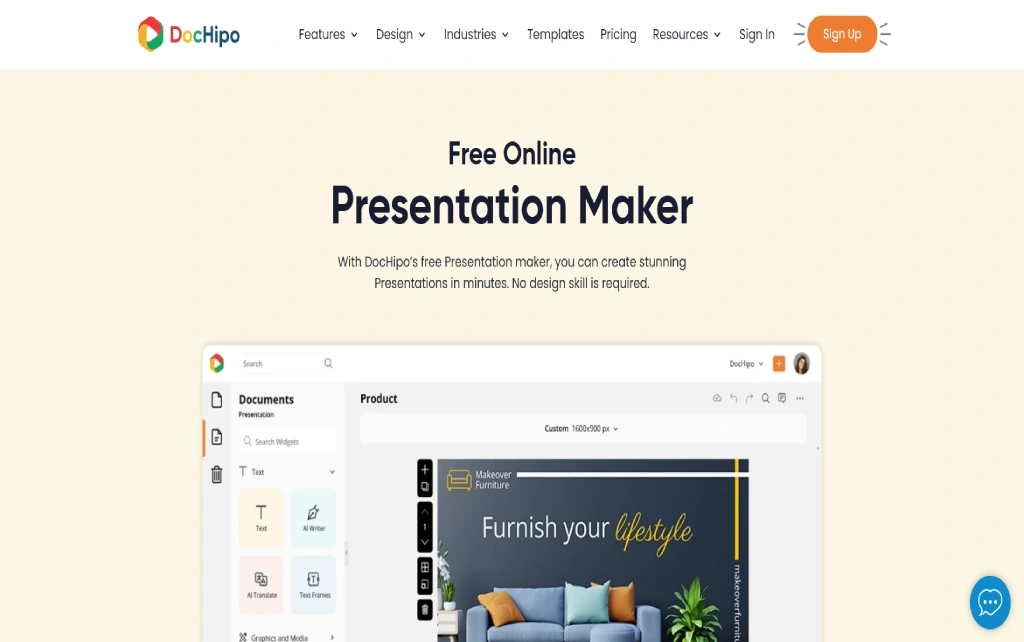
DocHipo is a powerful yet intuitive document design tool that helps you create engaging presentations and a wide range of marketing and promotional materials quickly and effortlessly. It stands out for its simplicity, speed, and business-ready results within minutes.
Whether you’re preparing a pitch deck or crafting presentations for business, marketing, or product showcases, DocHipo offers a rich collection of professionally designed, fully customizable templates. You’ll find tailor-made options across diverse business niches, perfect for sharing ideas, strategies, business plans, case studies, reports, investment proposals, and more. From bakeries and salons to real estate agencies, fashion brands, airlines, and beyond, DocHipo’s industry-specific presentation templates help you create stunning visuals that resonate with your audience.
With its easy drag-and-drop editor, customizing templates is a breeze. Access unlimited high-quality stock photos and videos, or upload your own images to personalize your slides. Add charts and maps to visualize data, and enhance your presentation with exclusive vector graphics, including icons, shapes, and illustrations, designed to make your slides stand out.
DocHipo’s AI Writer helps you refine slide titles and subheadings and even generate key talking points to speed up content creation. The Text-to-Image generator lets you turn your ideas into unique visuals in various artistic styles.
You can also embed a Jotform or Typeform on your final slide to capture leads or audience feedback. With the Brand Kit, save and instantly apply your brand assets, including logos, colors, fonts, images, and videos for consistent, on-brand presentations every time. DocHipo’s real-time collaboration allows multiple team members to view, comment, or co-edit with controlled access, keeping everyone aligned without disrupting the workflow. You can even apply slide transitions with customizable types and speeds.
Once your presentation is ready, present it directly from DocHipo or download it watermark-free for offline use. You can also share it via email, publish and share a link, embed it on your website, or post it directly to LinkedIn, Facebook, X, and WhatsApp.
DocHipo is ideal for marketers, solopreneurs, startups, and large teams looking to create stunning presentations and other visual documents with ease. With its intuitive interface, organized templates, and thoughtfully designed assets, DocHipo provides a seamless and enjoyable experience for creating presentations.
Prezi
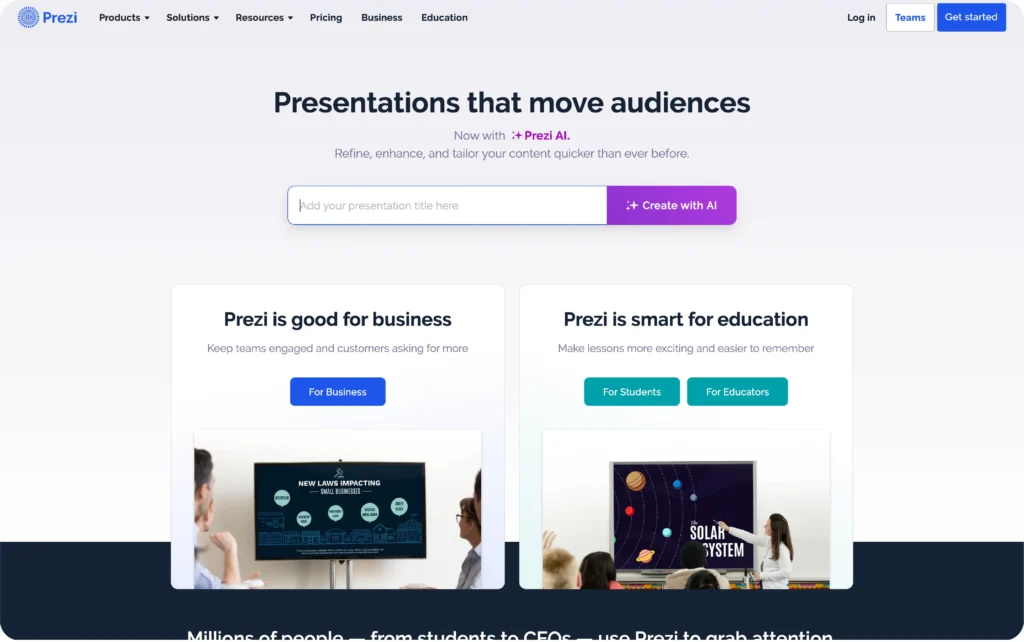
Prezi is a unique slideshow software that breaks away from the traditional slide-by-slide format. It uses a dynamic, non-linear approach where topics and subtopics are displayed on a large canvas, revealed through zooming and panning animations. This “conversational style” makes it ideal for businesses, educators, and anyone looking to add a creative touch to their presentations.
The application offers a wide range of fully editable templates, making it easy to get started. For those seeking more control, you can build presentations from scratch and customize them with icons, stock images, videos, and even voice-over narrations. Premium users gain access to an expanded asset library, including 80,000+ icons and 500,000+ images.
Prezi also supports collaborative editing, enabling multiple team members to work on a presentation simultaneously. You can share your work through social media or download it for offline use, though embedded videos require an internet connection.
For remote presentations, Prezi Video overlays your content on your webcam feed, creating an engaging experience for live or recorded sessions. While its AI feature can generate presentations automatically, it works best as a starting point rather than a polished final product.
Prezi has a slight learning curve and occasional interface lags, but once mastered, it offers a fresh, engaging way to present your ideas.
Wrap-up: Best Presentation Software Examples
Choosing the right computer programs for presentations can transform how you communicate ideas, making your slides not just informative but also captivating. Modern tools like Prezent, Canva, Beautiful.ai, and Prezi provide innovative solutions tailored to different needs.
Prezent stands out for its comprehensive suite of AI-powered features, offering tools for personalized slides, brand consistency, and efficient collaboration, making it ideal for business professionals. Canva, known for its simplicity and versatility, shines with its wide array of templates and design elements, perfect for educators and small businesses. Beautiful.ai simplifies design with automation, making it a go-to for beginners and startups aiming for polished presentations without the hassle. Prezi redefines presentations with its dynamic, non-linear format, providing a unique way to share ideas.
Each platform offers something unique, but they all prioritize ease of use and audience engagement. Exploring these different presentation platforms can help you leave a lasting impression.
Frequently Asked Questions (FAQs)
1. What are some modern alternatives to PowerPoint for presentations?
Popular PowerPoint alternatives include Prezent, Canva, Beautiful.ai, and Prezi. Each offers unique features like AI-powered tools, dynamic designs, and user-friendly interfaces to help create professional presentations quickly.
2. How does Prezent simplify the presentation-making process?
Prezent offers AI tools like the Auto Generator and Story Builder to create personalized, on-brand slides effortlessly. Its extensive Slide Library and Template Converter ensure presentations are consistent and professional.
3. What makes Canva a good choice for educators and small businesses?
Canva’s vast library of templates, easy-to-use interface, and ability to add multimedia elements make it perfect for creating engaging presentations. It’s also cloud-based, allowing for seamless collaboration and sharing as an online presentation software.
Become a Master Presentation Maker with Prezentium
Transform your ideas into winning presentations with Prezentium’s customer-first services and cutting-edge tools. Whether you need a polished deck overnight, expert support to refine designs, or interactive workshops to master storytelling, Prezentium has you covered.
By combining business insight, data visualization, and storytelling, Prezentium tailors presentations to fit your brand and goals. The Accelerators team helps bring your ideas to life with exquisite designs, while Zenith Learning workshops sharpen your communication skills for maximum impact.
Pairing these services with innovative software like Prezent ensures finished presentations are personalized, on-brand, and ready to captivate any audience. Ready to transform your slides? Partner with Prezentium today and deliver future presentations that inspire confidence and drive success.